What this is: A free add-on for Claude that spins up a “council” of 5 AI advisors to pressure-test any decision you’re facing, then hands you one clear verdict and a next step.
Derived from Andrej Karpathy’s LLM Council.

What you need: The Claude desktop app (free). This won’t run in a web browser. It has to be the app.
Install it (about 2 minutes)
- Get the Claude desktop app if you don’t have it, download it free at claude.ai/download and sign in.
- Open the app → Customize → Skills → Add new skill → Create skill → Upload a skill
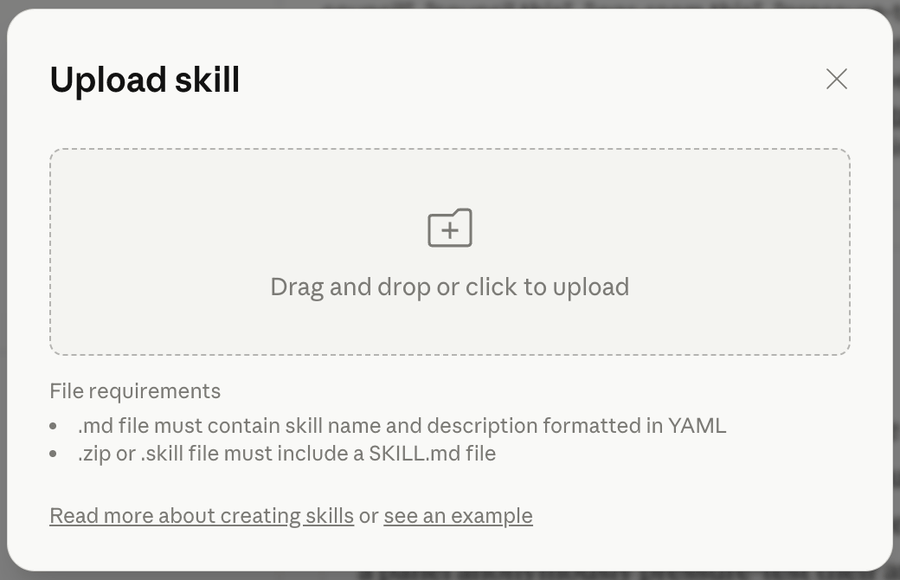
- Download the file on this page: the-council.skill
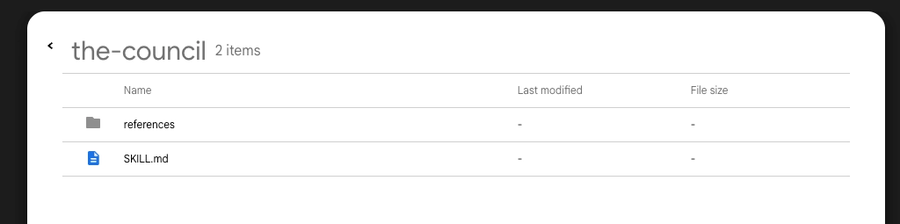

- Drag the zip file into the “Upload Skill” box. No need to unzip it, just drag and drop.
- Upload and save.
How to use it
In any chat:
- Use the
/the-councilcommand
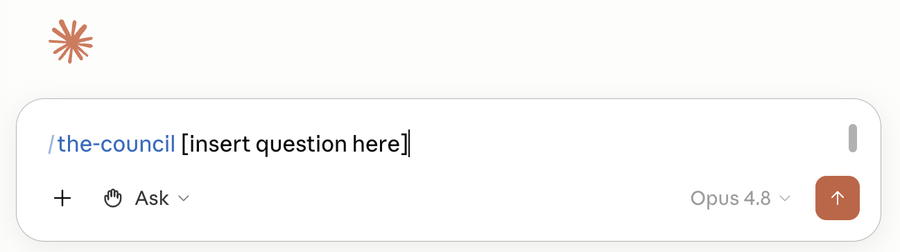
- Or just type Ask the Council: followed by your question.
Ex: Ask the Council: should I offer a $97 course for my business or a $479 mastermind?
What happens next:
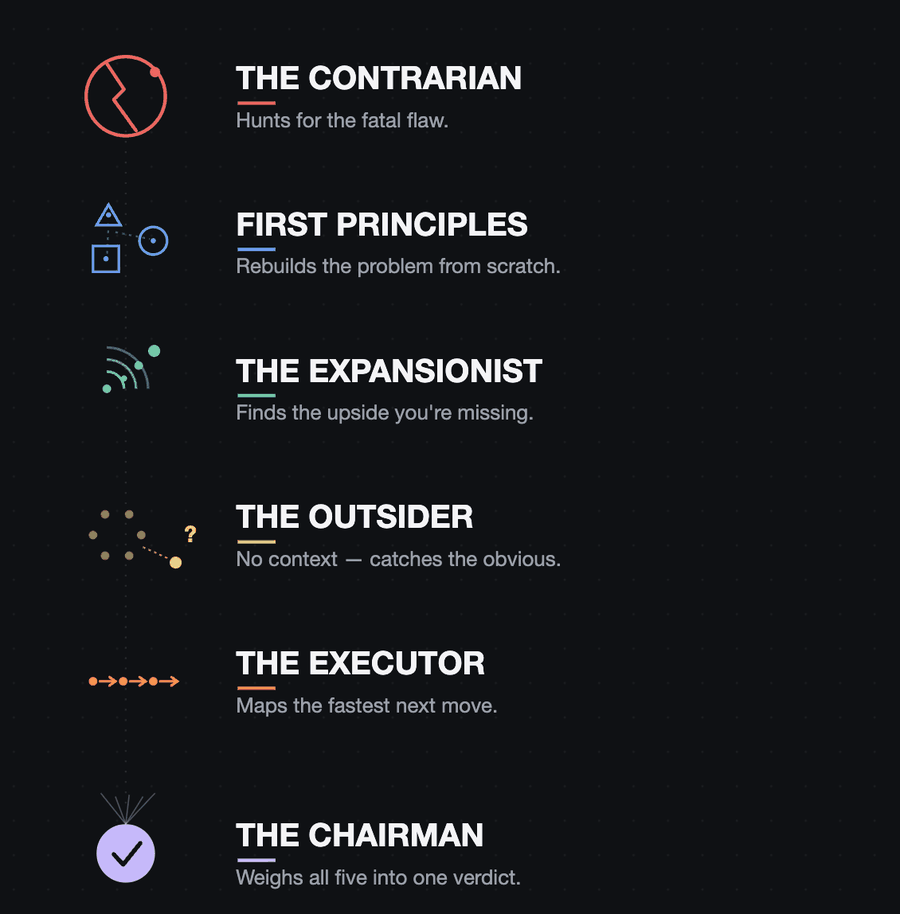
- 5 advisors each answer from a totally different angle: one hunts for flaws, one finds the upside, one reframes the real problem, one reacts with fresh eyes, one tells you exactly what to do next.
- They anonymously grade each other’s answers so the weak ones get caught.
- A “Chairman” combines it all into one clear verdict with a recommended first move.
- You get the verdict right in the chat, plus a full write-up saved as a file you can keep.
What it’s great for
Real decisions with stakes and tradeoffs:
- “Should I do X or Y?”
- “Is this the right move?”
- “Here’s my plan. What am I missing?”
Skip it for simple facts like “what’s the capital of France?”. That’s overkill.
Good to know
- Give it context. The more you tell it about your situation, the sharper the advice.
- Other ways to start it: “council this”, “pressure-test this”, or “stress-test this” all work too.
- Where to use: This skill only works in Cowork or Claude Code. Regular Claude chats don’t have the capability to spin up multiple sub-agents with anonymous ranking.