ℹ️ Most “humanizers” scrub the surface: the em dashes, the “delve,” the lists of three. Researchers at the University of Maryland and Google DeepMind found that’s not where AI writing gives itself away. In the StoryScope study they compared over 61,000 human and AI stories, and a model that ignored word choice entirely and only looked at how each story was built told them apart with 93.2% accuracy. When the obvious AI tells were edited out, it barely got worse. So I turned the research into a Claude skill. Type
/humanbefore your prompt and it fixes the structure underneath, not just the grammar.
What you need
- A Claude account (claude.ai or the desktop app). Skills work on every plan, including Free.
- About 3 minutes
No coding required. You download one small file, upload it once, and it works in every chat after that.
Step 1: Download the skill file
Open the folder here: 👉 Google Drive link
Right-click human.skill and choose Download. You don’t need a Google account for this.
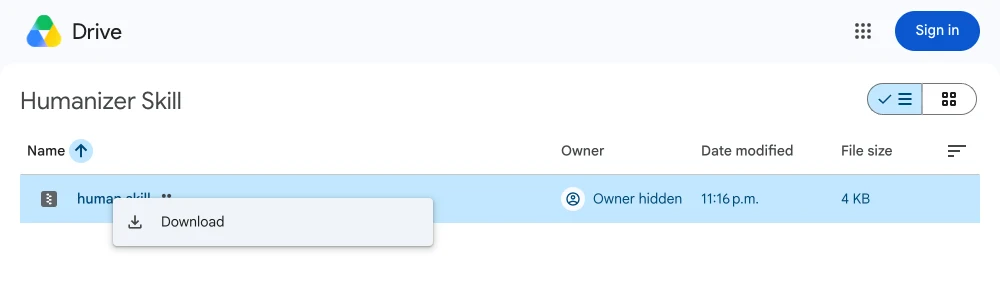
Leave the file as it is. Don’t unzip it or rename it; Claude reads it directly.
Step 2: Turn on code execution
Skills run inside Claude’s code environment, so this needs to be on first.
- In Claude, open Settings → Capabilities
- Turn on Code execution and file creation
On a Team or Enterprise plan, an owner has to allow skills for the organization first.
Step 3: Upload it to Claude
- Open the left sidebar
- Go to Customize → Skills
- Click Add → Upload a skill
- Select the
human.skillfile you downloaded in Step 1
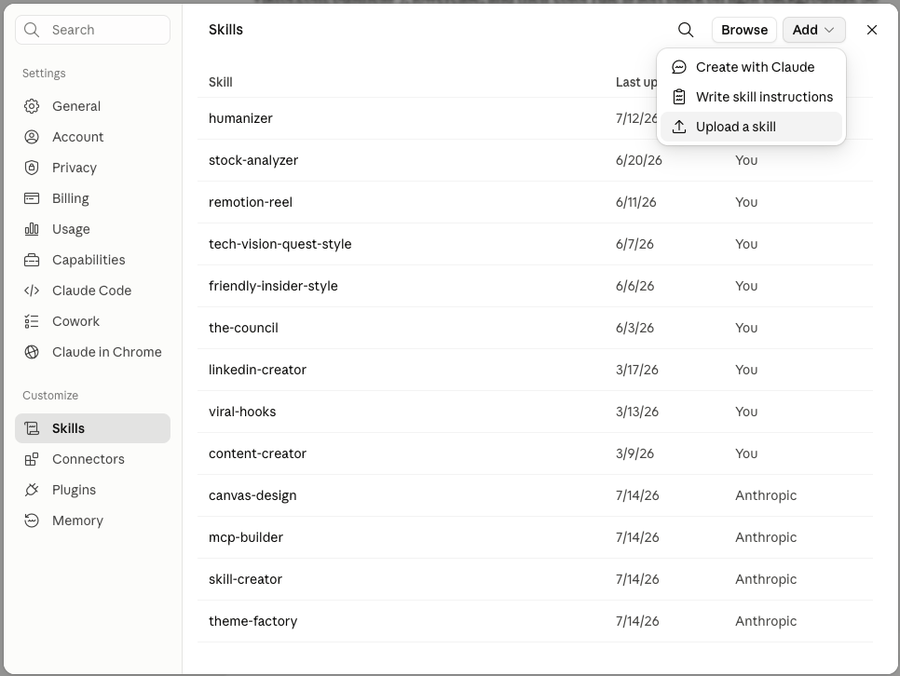
That’s it. human now shows up in your skills list and stays available in every new chat.
Step 4: Use it
Write something new. Start a chat with /human and then your request:
/human write a LinkedIn post about my first month freelancingClaude writes it with the structure fixed from the first draft, instead of writing an AI-shaped draft and patching it afterwards.
Fix something you already have. Type /human, paste your text, and ask it to rewrite. It keeps your meaning, facts and voice, and changes how the piece is built.
Just see what’s wrong. Type /human audit this and paste your text. You get a list of the structural problems and the line each one is on, without a rewrite.
💡 Make it sound like you: paste 2 or 3 paragraphs of your own writing along with the request and say “match my voice.” Your samples override the skill’s defaults.
What it actually changes
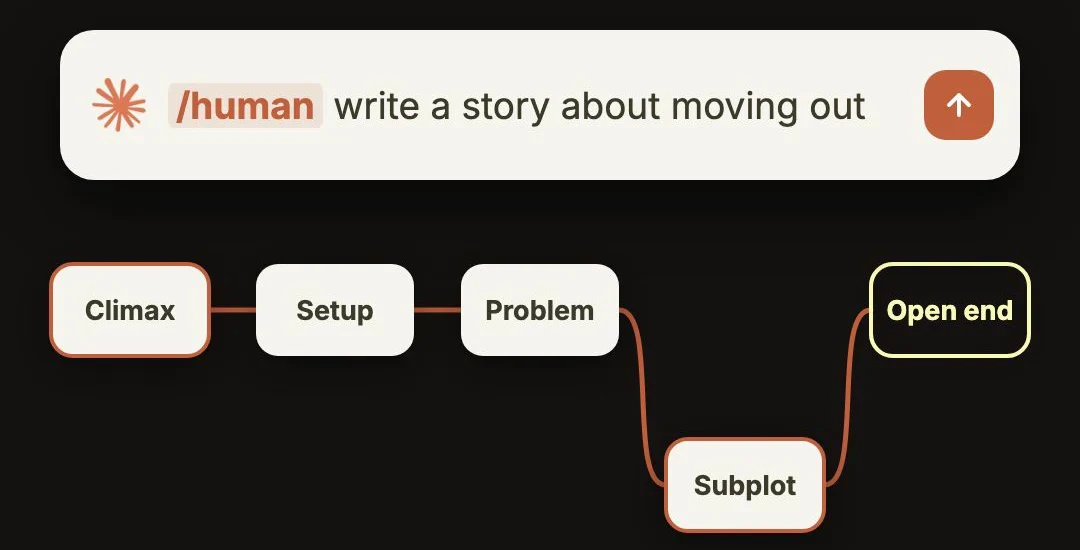
Every rule in the skill comes from a measured gap between human and AI writing in the study. A few of the big ones:
- It stops stating the moral. AI narrators spelled out the story’s theme 77% of the time, humans 52%. The skill cuts the “and that’s when I realized…” ending and trusts the reader.
- It names feelings plainly. AI shows emotion through tight chests and cold sweat. Humans just say they were scared.
- It gets specific. Real names, numbers, places and sources instead of “a famous study” or “as the saying goes.”
- It doesn’t tie a bow on it. AI resolves everything neatly. Real writing leaves some tension standing.
- It lets the piece wander a little. 79% of AI stories had no subplot at all, against 57% of human ones. A small side thread makes writing feel lived in.
- It plays with order. It starts at the interesting moment instead of the setup, then backfills.
- It picks the less obvious angle. AI versions of the same prompt all land in the same narrow place. Human ones spread out.
It still does a quick surface pass at the end (no em dashes, no “it’s not X, it’s Y,” no AI vocabulary), but only after the structure is right.
Before:
When I quit my job to freelance, my heart pounded and my palms were slick with sweat. The first month was a whirlwind of challenges and growth. I learned that success isn’t about having all the answers, it’s about embracing the journey.
After /human:
Three weeks into freelancing I had one client, $640 in invoices, and a Notion page titled “backup plan” that I’d opened four times. I was scared, honestly. Not of failing, more of having to explain it at Christmas. Then the client referred her sister. I still don’t know if this works. But I haven’t opened the backup plan since Tuesday.
Using Claude Code instead?
Unzip the file into your skills folder:
unzip ~/Downloads/human.skill -d ~/.claude/skills/Then start a new Claude Code session and type /human.
Troubleshooting
- Skill greyed out or not working? Code execution is off. Go back to Settings → Capabilities and turn it on.
- The upload window won’t let you pick the file? Rename it from
human.skilltohuman.zipand try again. It’s the same file. - Skill doesn’t kick in? Call it directly by typing
/humanat the very start of your message.
Credit
The skill is built on StoryScope by Russell, Rajendhran, Pham, Iyyer and Wieting (University of Maryland and Google DeepMind). Read the paper on arXiv.