🎯 What you’ll build: four Claude skills that run in order on your resume. The first shows you what a computer actually reads when you apply. The second finds the words your industry is asking for. The third rewrites your bullet points. The fourth interviews you and scores your answers out of 10.
What you need
- A Claude account (claude.ai or the desktop app)
- Your resume as a PDF or Word file
- One job title you’re targeting, like “Product Manager” or “Data Analyst”
- About 10 minutes to set up, then about an hour to run all four
No coding required. You upload four files once and they stay in your account forever.
The four skills
| Skill | What it does |
|---|---|
| 1. The Reviewer | Shows you your resume the way the machine reads it, and what got lost |
| 2. The Recruiter | Reads live job posts in your field and finds the words you’re missing |
| 3. The Remixer | Rewrites every bullet using Google’s XYZ formula |
| 4. The Interviewer | Acts as the hiring manager, asks five questions, scores your answers |
They’re built to hand their work to each other, so run them in order the first time.
Step 1: Turn on code execution
The skills won’t work without this.
- Open Claude and click your profile icon, then Settings
- Go to Capabilities
- Turn on Code execution and file creation
Step 2: Download the four files
Grab all four .md files here: 👉 Download the four skills
Step 3: Upload them to Claude
- Open/extend the left sidebar
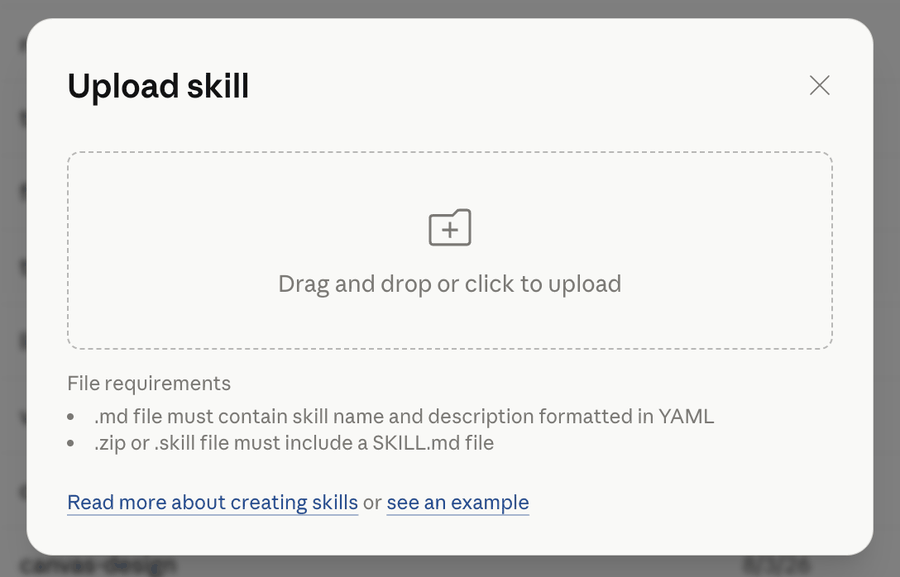
- Go to Customize → Skills → Add → “Upload a skill”
- Select
resume-reviewer.zip - Repeat for the other three
Upload them one at a time. Four separate uploads. Claude expects one skill per zip, so a folder with all four inside won’t work.
When you’re done you should see four new skills in your list. Make sure all four are toggled on.
💡 Quick check: open a new chat and type “What resume skills do I have available?” Claude should name all four. If it does, you’re set.
Step 4: Run the Reviewer
Time: about 10 minutes
Start a new chat, attach your resume, and type:
Use the resume-reviewer skill on my resume. I'm targeting [JOB TITLE].What you get back: your resume shown as a database record, which is what it actually turns into when you apply. Every field the machine pulled out, and every field it couldn’t. Then a parse score, the ways your resume is most likely getting filtered out, and a ranked list of fixes with the exact text to change.
Most people find something here they had no idea about. Contact details that vanish. A whole skills section that disappears because it sits in a sidebar. Invisible characters left behind by Google Docs that break how the machine reads your job history.
⚠️ Fix what it finds before moving on. Everything after this is wasted effort on a resume the computer can’t read properly.
Step 5: Run the Recruiter
Time: 15 to 20 minutes
Turn on web search first so it can read live postings. Then type:
Use the resume-recruiter skill. I'm applying for [JOB TITLE] roles
at the [LEVEL] level in [CITY].
It’ll ask for job posts you’re actually applying to. Paste the job description text, not the link. LinkedIn blocks automated reading, so links usually come back empty. Copying the text takes a few seconds and it makes the whole analysis better, because those are your real targets instead of a generic sample.
What you get back: the words that keep showing up across real job posts in your field, sorted by how often they appear. Then your gaps, split into two groups:
- You have it, you just didn’t say it. You wrote “talked to users every week.” The industry calls it “user research.” Same work, different words, and the search only finds one of them.
- You don’t have it. The experience genuinely isn’t there. No amount of rewording fixes that, and it’s better to know.
It finishes by writing out the exact search a recruiter would run to fill your target role, then tells you which part of it you fail.
💡 Save this output. The next skill uses it.
Step 6: Run the Remixer
Time: 20 to 30 minutes
Use the resume-remixer skill on my resume. Here's the keyword list
from the recruiter skill: [PASTE IT]
Here’s what’s different about this one. It will not rewrite anything until it asks you questions first.
That’s on purpose. When you paste a resume into a chatbot and say “make this better,” it fills the blanks with things that sound right and aren’t true. Then you get asked about the 40% in an interview and you’ve got nothing. This one asks what actually happened, then writes using only what you told it.
Expect four to six questions per job. Answer them properly. Vague answers get you vague bullets.
💡 “But I don’t have numbers.” Most people don’t, especially early on. Numbers aren’t only percentages. How many people did your work affect? How many of these did you handle a week? How long did you do it for? What was true after that wasn’t true before? All of those count and all of them are honest.
What you get back: every bullet as a before and after, plus a note showing which of your answers each piece came from. Then a list of the bullets most likely to get questioned in an interview.
Step 7: Run the Interviewer
Time: 20 to 30 minutes
Use the resume-interviewer skill. I'm interviewing for [JOB TITLE].It’ll ask which round you want to practise: a recruiter screen, a behavioural round with the hiring manager, a technical or role-specific deep dive, or a full mix. You can also just tell it what you want, like “four technical questions and one behavioural.”
What happens: five questions, one at a time. Two of them come straight from the bullets you just rewrote. If you can’t back up something on your resume, you find out here instead of in the room.
It pushes back when an answer is thin. Say “we” when it asked what you did and it’ll ask again. That’s the point.
What you get back: each answer scored out of 10 across five things, with one specific fix and a stronger version built from what you actually said. Then a scorecard that names your pattern, which is the part that changes how you interview. Not “you got 28 out of 50” but “you scored low on ownership in four of five answers.”
⚠️ Scores run honest, not generous. A 5 or 6 on your first try is normal and it’s useful. A fake 8 is not.
Troubleshooting
- Skill won’t upload? Check code execution is on in Settings → Capabilities.
- Claude ignores the skill and answers normally? Name it directly: “Use the resume-reviewer skill.” Also check the toggle is on in your Skills list.
- The Reviewer says your resume is an image? That means no hiring software can read a single word of it, so right now you’re applying with a blank page. Open the original document and export it again as a PDF, or send the Word file instead.
- The Recruiter can’t open your job links? Paste the job description text instead. Most job sites block automated reading, or you can just tell it to run its own search.
- The Remixer won’t give you numbers? It won’t invent them, and that’s deliberate. Made-up numbers get you caught. Answer its questions about scope and frequency and you’ll get honest ones.
Questions people ask
Do I have to run all four? They work best in order because each one uses what the last one produced. If you only do one, do the Reviewer.
Can I use this for more than one job? Yes. The Reviewer and Remixer only need running once. Run the Recruiter again for each new type of role, since the keywords change.
Is it safe to put my resume in here? Same as any chat. Take out anything you’d rather not share, like your full address.
Will this get me flagged for using AI? Not if you use it as intended. It rewrites what you actually did in clearer language and refuses to invent experience. That’s the difference between editing and faking.
One last thing
The Reviewer is the one to run today. It takes 10 minutes and it usually finds something genuinely broken that you’ve been sending out for months.
If it turns up something that surprises you, send me a DM. I read every one.