ℹ️ This is a skill I built while making an experimental version of this site. It handles the kind of motion you see on agency websites: text that rises into place as you scroll, particles that form and scatter, cards that tilt toward your cursor. The important part is that it does not have a house style. It asks you what you are building and who it is for, then designs to that answer instead of giving everyone the same dark gradient template.
What it actually does
Most “build me a website” prompts give you something generic, because the model has no idea what you want and fills the gap with an average of everything it has seen.
This skill fixes that by refusing to start. It asks you six questions first, proposes a menu of effects you can approve or veto before anything gets built, then builds in small pieces and shows you screenshots as it goes.
It also carries the technical details that are genuinely hard to get right: how to sample text into particles, why masked text clips the bottom of letters like g and y, why carousel cards overlap when they pass each other, why hover effects silently fail on elements that move. These took me hours to work out. The skill already knows them.
What you need
- A Claude account. Custom skills are on paid plans such as Pro and up.
- About 5 minutes to install.
- Claude Code if you want the full experience. It works in the browser too, but the part where it builds and screenshots the site needs Claude Code.
Step 1: Download the skill
Grab it here: 👉 Google Drive folder
There is a web-designer.zip and a README inside. Download the zip.
Step 2: Install it
If you use Claude in the browser: open Claude, go to Settings → Customize → Skills, and upload the zip file directly. No need to unzip it.
If you use Claude Code: unzip it into your skills folder. One command:
unzip web-designer.zip -d ~/.claude/skills/Skills reload on their own, so there is nothing to restart.
💡 To check it worked, start a new chat and say something like “I want to build a landing page for my studio and I want it to feel really premium.” If it installed correctly, Claude asks you questions instead of immediately writing code. If it starts building right away, it did not load.
Step 3: Answer the questions honestly
This is the part that decides whether you get something good.
The skill asks what you are building, where your traffic comes from, what one action you want visitors to take, three adjectives for how it should feel, what brand colours and photos you already have, and which sites you admire.
Two of these matter more than the rest:
Where your traffic comes from. If people reach you through a link in your Instagram bio, that is phone traffic. Most of the impressive stuff on agency sites is built from cursor effects, and cursors do not exist on phones. The skill will tell you this and move the budget into things that do work on a phone, like scroll animations and typography. Let it.
Three adjectives. “Warm, handmade, slow” and “sharp, technical, fast” produce completely different websites. Vague answers here are the main reason people end up with a site that looks like everyone else’s.
Step 4: Show it what you like
Words are bad at describing motion. Try explaining “the thing where text sort of slides up as you scroll” and you will see the problem.
The fastest fix is to show it. 21st.dev is a library of animated web components, and every one has a live preview you can watch. Browse a category, find something close to what is in your head, and screenshot it.
Start with a category page. Scroll Areas and Animated Heroes are good places to look for scroll effects:
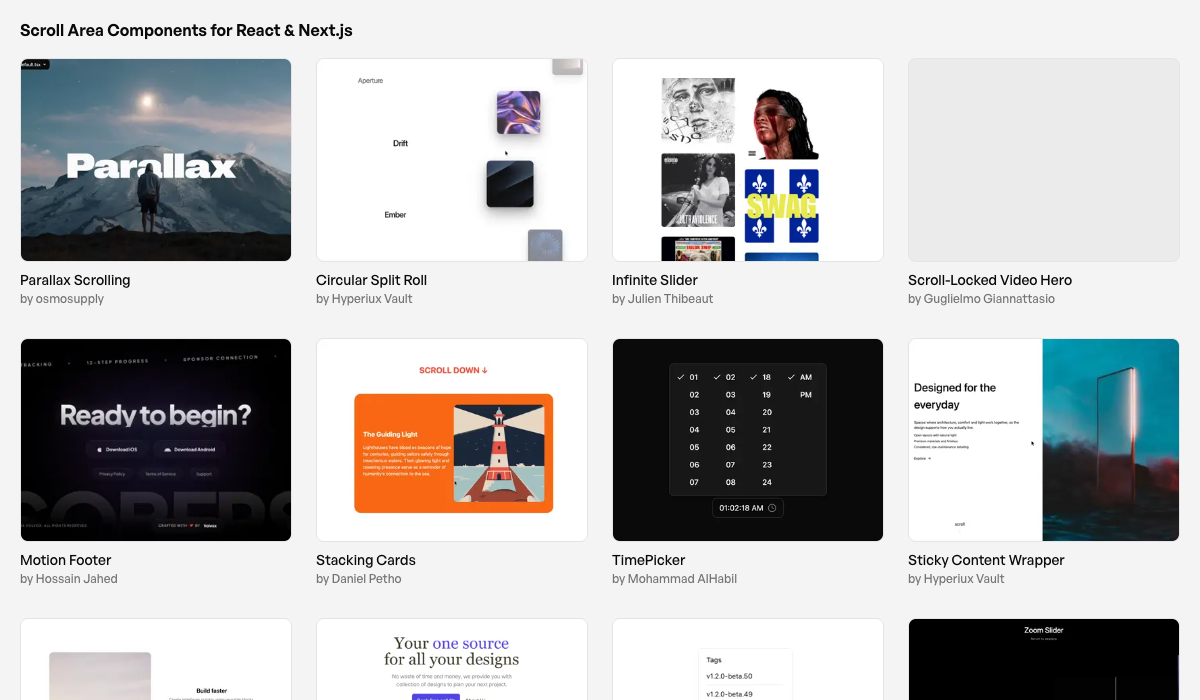
Click into anything that looks interesting and you get a live preview of the effect running. This one is a scroll-driven hero with parallax and 3D:
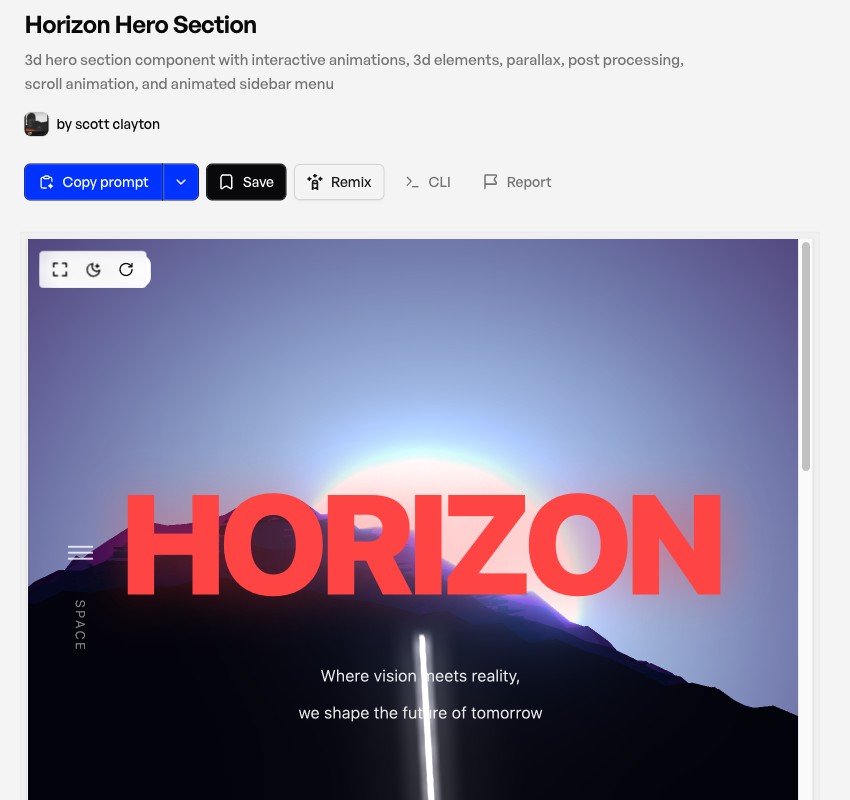
Screenshot that and paste it into Claude with a note about what specifically you like. Something like:
Here is the feeling I want for the hero. I like how the
headline sits over the landscape and how it moves as you
scroll. I do not want the 3D mountains, and it should use
my colours, not red.
Being specific about what you do not want matters as much as what you do. Saying “not the mountains, not the red” saves a whole round of building the wrong thing.
💡 The skill knows to read the technique rather than copy the component. You are giving it a reference for the feeling, not asking it to clone somebody’s homepage.
Step 5: Expect to cut things
Half of what gets built will not make the final site, and that is normal. Motion is quick to reject and slow to build, which is exactly why the skill proposes before it builds.
When I made the experimental version of this site, I scrapped a cursor effect, a grid animation, and an entire WebGL background that took real time to write. None of it was wasted. Cutting things is how you find out what the site actually wants.
If you keep asking for changes to the same element and still do not like it, stop adjusting it. That usually means the element itself is wrong, not its settings.
Where to use it
It works best in Claude Code, where it can run your site locally, take screenshots, and check its own work in a real browser. In the browser version you still get the interview, the design thinking, and the code, but you have to run and look at the site yourself.
Either way, start with the questions. That is the whole trick.